
Compatibility checklist
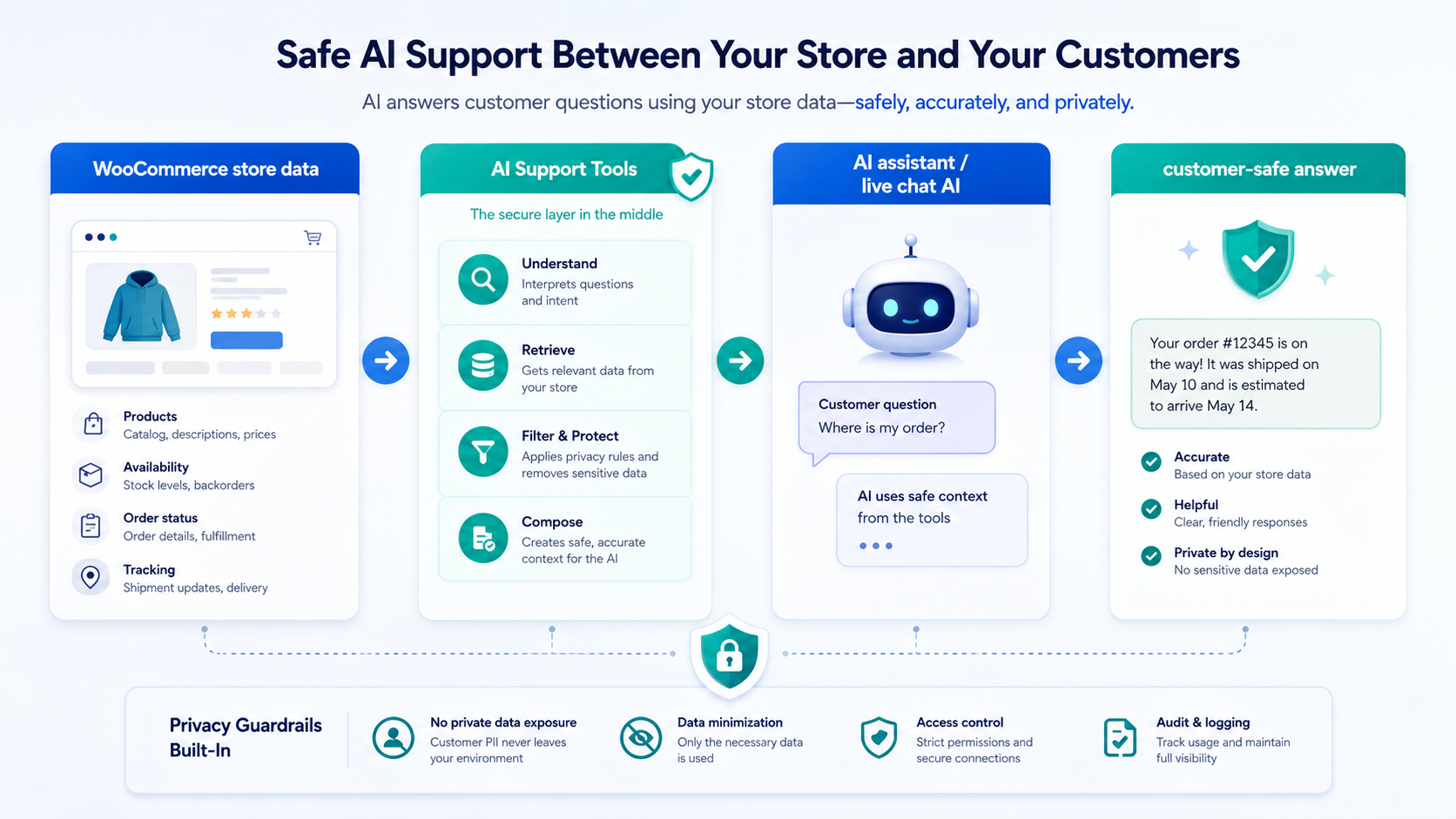
This is not a new platform integration. It is manual OpenAPI setup for assistants that already support the required tool features.
- OpenAPI schema import or tool registration
- HTTPS REST calls to your WordPress site
- Authorization bearer header support, or an equivalent protected header format
- Operation selection for imported tools
- Enough context capacity for full schema mode, or support for a compact schema
- Test mode before customer use
Full vs compact schema
WebExpertDev AI Customer Support Assistant can expose full and compact OpenAPI schema modes. Use the full schema when your assistant handles detailed operation descriptions well. Use compact mode when the platform needs a smaller tool definition for faster import or clearer operation selection.
Setup values
Copy these values from the plugin admin and replace yourstore.com with the live WooCommerce domain.
https://yourstore.com/wp-json/wc-ai-support/v1/openapi.jsonhttps://yourstore.com/wp-json/wc-ai-support/v1/openapi.json?compact=1https://yourstore.com/wp-json/wc-ai-support/v1Authorization: Bearer YOUR_API_TOKENRecommended test operations
- getHealth: confirm the API is reachable.
- getProductSearch: confirm product questions use store data, configured result limits, and brand/manufacturer matching.
- getProductAvailability: confirm exact SKU availability stays customer-safe.
- getOrderStatus: confirm order status requires order number plus billing email or ZIP and respects rate limits.
- Tracking summaries through getOrderStatus: confirm verified order status can return customer-safe tracking context without overpromising external tracking behavior.
- Pro scenarios: if Pro is active, test consent-based Lead Capture, secure cart and reorder review links, Product Discovery tuning, Knowledge Builder policy answers, and Advanced Tracking custom integration output.
Generic assistant instructions
Start with the generated prompt from the plugin admin. For generic platforms, keep the rule simple: use approved operations for live WooCommerce facts, never guess, and route restricted actions to support.
You help ecommerce customers using connected WooCommerce support tools. Do not guess live product, price, stock, tracking, or order status data. Use getProductSearch for catalog questions, getProductAvailability for exact SKUs, and getOrderStatus only after order verification. Customer-safe tracking summaries may be returned through verified order status. Use price_display, currency_code, and currency_symbol when product metadata includes them. If Pro tools are enabled, ask for consent before lead capture, create only signed expiring customer-click cart or reorder review links, and use Knowledge Text only when it is provided by the store. Do not process payments, modify orders, create refunds, cancel orders, or expose private data.Limitations
- Platform behavior varies, so test before production use.
- This product is not a chatbot or hosted helpdesk.
- This product does not replace Tawk.to Live Chat or any other chat platform.
- Compatibility is platform-specific and must be tested before customer use.
- Restricted commerce actions, refunds, cancellations, order changes, private customer requests, and carrier-specific tracking questions should be handled through approved support workflows.
- Do not expose API tokens publicly or paste them into customer-visible messages.